
Quick Overview
- Key takeaways
- How can you check whether your Google Ads ad is showing?
- What should you check first when your Google Ads ad is not showing?
- 10 reasons why your Google Ads ad is not showing
- 1. Your campaign, ad or Google Ads account is not active
- 2. Your location, language or other targeting settings do not match the search
- 3. The campaign is limited by its average daily budget
- 4. Your Ad Rank is not high enough
- 5. Your ad is not relevant enough to the keyword and search intent
- 6. The keyword has low search volume
- 7. The landing page does not match the user’s intent
- 8. Your ad schedule limits when ads can be shown
- 9. There is a billing or account status issue
- 10. You are searching for your own Google Ads ad too often
- How does KG Media identify what is limiting a Google Ads campaign?
- What should you do if your Google Ads ad still is not showing?
Google Ads can receive limited impressions or fail to show altogether for a number of reasons, including campaign status, a limited budget, low Ad Rank, low search volume, targeting settings, an unsuitable bidding strategy and billing issues.
If you cannot see your own ad when searching on Google, that does not necessarily mean other users cannot see it. Before changing your budget, bids or other account settings, check the campaign’s actual performance data, such as impressions and clicks, and use the Ad Preview and Diagnosis tool.
This article focuses primarily on Search campaigns and ads that appear in Google Search results.
Key takeaways
- There are several reasons why a Google Ads ad may not be showing
- Just because you cannot see your ad does not mean other users cannot see it
- The most common causes are campaign status, targeting, budget or Ad Rank
- The most reliable way to check is to use data from your Google Ads account together with the Ad Preview and Diagnosis tool
How can you check whether your Google Ads ad is showing?
The quickest way to check is with the Ad Preview and Diagnosis tool in your Google Ads account. It lets you see whether an ad is showing for a specific search term and simulate a location, language and device without generating additional ad impressions.
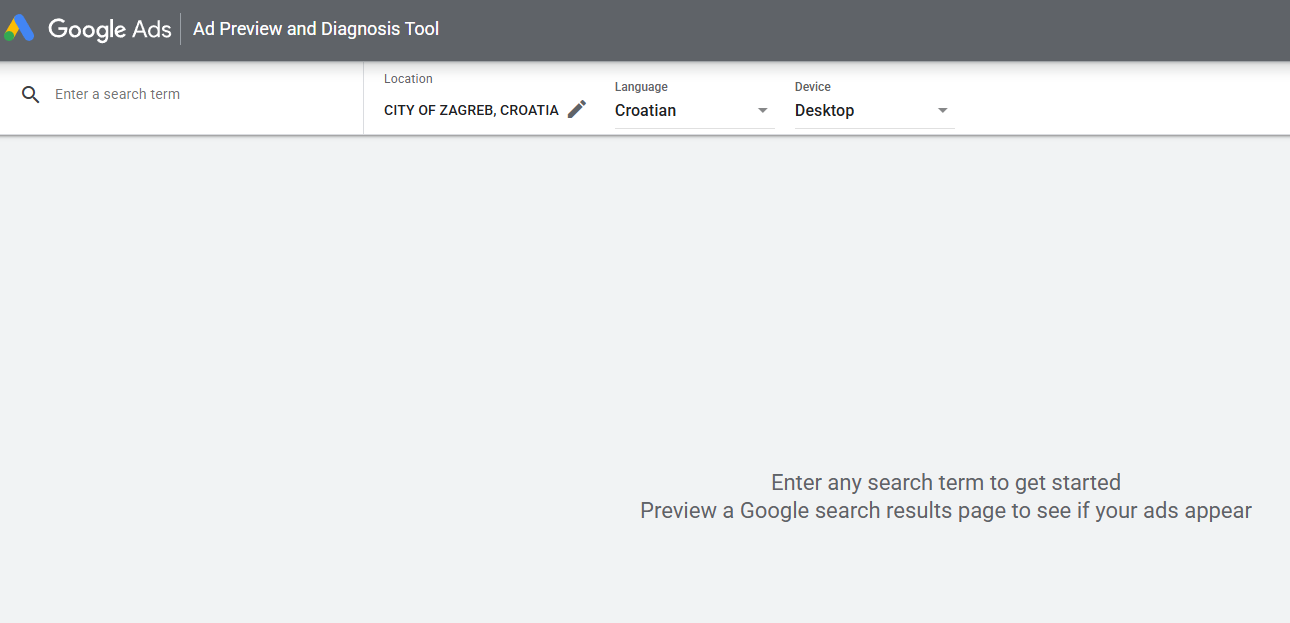
However, do not rely on a single simulated result. To assess how your campaign is actually serving, review its performance data as well.
Pay particular attention to the following metrics and statuses:
- Impressions – how many times the ad has actually been shown
- Search impression share – the share of available impressions you received
- Search lost IS (budget) – the estimated share of impressions lost because of insufficient budget
- Search lost IS (rank) – the estimated share of impressions lost because your Ad Rank was too low
- Campaign, ad and keyword status – shows whether they are active and eligible to serve
- Bid strategy status – indicates whether your bidding strategy is subject to any limitations
What should you check first when your Google Ads ad is not showing?
If your Google Ads ad is not showing, check the campaign status, budget, Ad Rank and keyword relevance first.
|
Problem |
What to check |
Status, metric or tool |
Possible solution |
|
Campaign or ad is not active |
Campaign and ad status |
Paused, Removed, Disapproved |
Enable paused items, wait for the review to finish or resolve the reason for disapproval |
|
Budget limits ad serving |
Budget |
Search lost IS (budget) |
Optimise budget allocation or increase the budget if performance justifies the additional investment |
|
Ad is losing auctions |
Ad Rank |
Search lost IS (rank) |
Improve relevance, the landing page and ad assets, or adjust bidding |
|
Too few searches |
Keyword status |
Low search volume |
Consider a less specific but still relevant keyword or a broader match type |
|
Targeting is too narrow |
Location, language, audiences, devices |
Campaign settings |
Align targeting with the relevant audience or broaden it where appropriate |
|
Bidding strategy limits traffic |
Bid strategy |
Learning, Limited, Misconfigured |
Review the strategy settings and adjust target CPA or target ROAS if the targets are too restrictive |
|
Payment issue |
Billing |
Account warning |
Update the payment method, settle any outstanding balance or complete the required verification |
|
You cannot see the ad yourself |
Ad Preview and Diagnosis |
Impressions |
Use the tool to check the ad instead of repeatedly searching for it manually |
Comparing Search lost IS (budget) with Search lost IS (rank) helps you determine whether to investigate budget constraints or the factors affecting Ad Rank first.
10 reasons why your Google Ads ad is not showing
1. Your campaign, ad or Google Ads account is not active
If the campaign, ad or account is not active, the ad will not show.
A campaign or ad may be paused or removed. An ad with an Under review status is still being reviewed by Google and may start serving once it is approved and becomes Eligible. If the ad has been disapproved for violating advertising policies, it will not show until the issue has been resolved.
Serving can also be disabled because of an account-level issue, such as a billing problem or an account status restriction.
How to check? Open the Status column and confirm that the campaign, ad and keywords are active. Also look for any status or warning that may be limiting ad serving.
How to fix it? Re-enable paused items, wait for the review to be completed or resolve the reason for disapproval. If the campaign or ad has been removed, recreate it if you still want to use it. Resolve any account-level issue before making other campaign changes.
2. Your location, language or other targeting settings do not match the search
Your ad may not show if the user’s location, language or other signals do not match the campaign’s targeting settings.
For example, if a campaign targets users in Germany, you may not see the ad while searching from Croatia. In the Ad Preview and Diagnosis tool, you can simulate a location, language and keyword to see whether the ad is showing.
The same applies to local targeting: a campaign targeting only the Istria region is unlikely to show an ad to a user located in Zagreb. Campaign language settings and other user-related signals can also affect whether an ad appears.
With location targeting, you should also consider the location options you have selected. Depending on the campaign settings, Google may use different signals related to a user’s physical presence in, or interest in, a particular area.
Targeting that is too narrow can also significantly reduce the number of auctions your campaign is eligible to enter.
How to check? Review your location, language, audience and device settings and make sure they match the users you actually want to reach.
How to fix it? Align your location, language and other targeting settings with your real target audience. If the targeting is too narrow, broaden it only to relevant locations, audiences or devices.
3. The campaign is limited by its average daily budget
If the campaign does not have enough budget to cover all available demand, the ad will not show every time. Once the available daily budget has been used, ads may stop serving for the rest of the day.
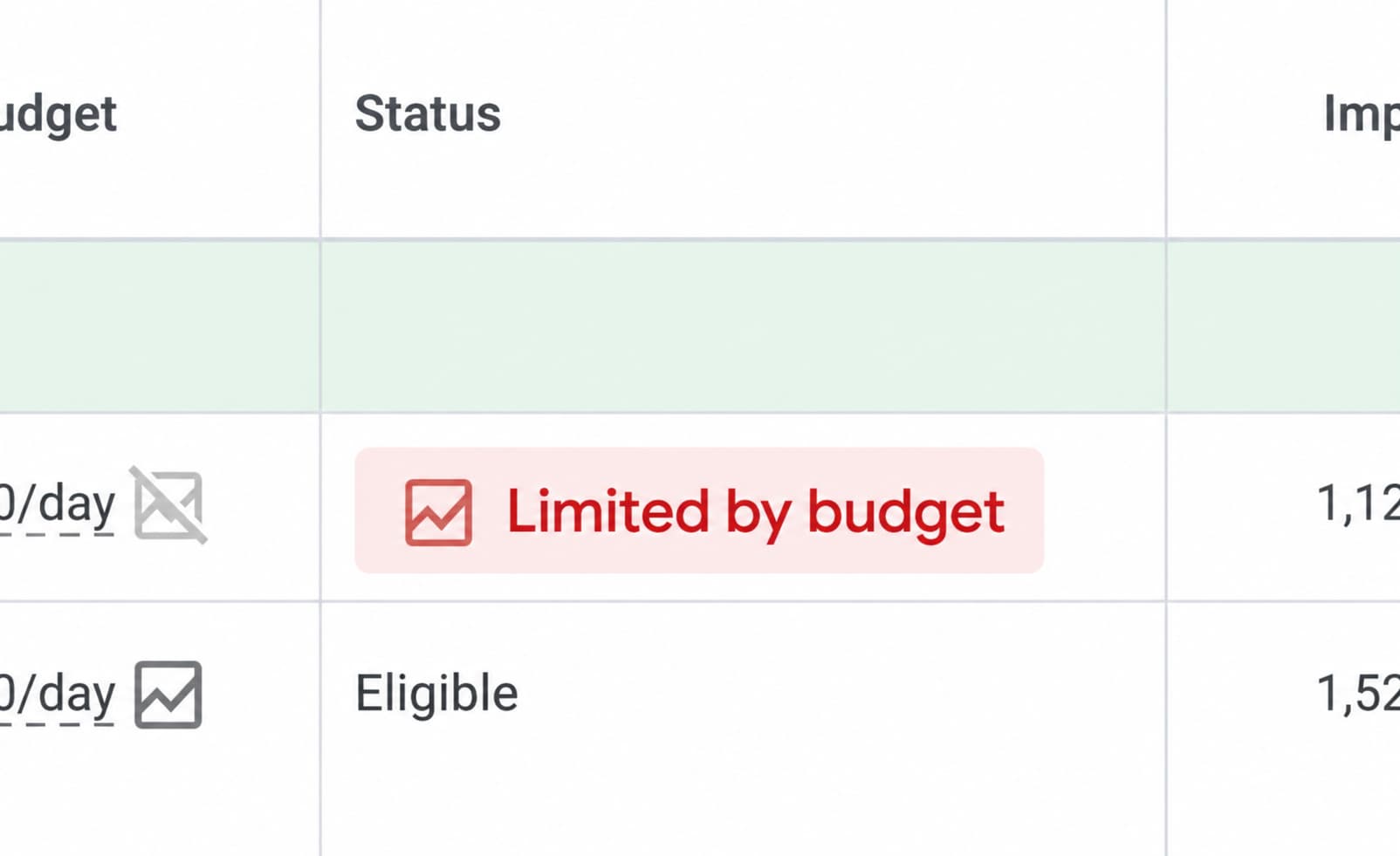
The average daily budget is the amount you are prepared to spend on a campaign per day on average, although actual daily spend may vary.
How to check? Look for the Limited by budget status and review the Search lost IS (budget) metric.
How to fix it? If budget limitations are causing you to lose a significant share of relevant impressions, consider increasing or reallocating the budget and reducing spend on lower-value keywords and segments. Increasing the budget should not be an automatic response. First, make sure the campaign is delivering results that justify additional investment.
4. Your Ad Rank is not high enough
A low Ad Rank can limit whether your ad shows and how visible it is in search results. Ad Rank is a set of values Google uses to determine whether an ad is eligible to show and where it may appear.
Ad Rank can be influenced by:
- your bid amount
- ad quality and relevance, as well as the landing page experience
- Ad Rank thresholds and the level of competition in the auction
- location, device, time and the context of the search
- the expected impact of ad assets
This is why simply increasing your bid is not always the best solution. A weaker Ad Rank may result from several factors, including ad quality and the landing page experience.
For campaigns using automated bidding, overly aggressive targets can also restrict ad serving. For example, a target CPA that is too low or a target ROAS that is too high can significantly reduce impressions or even stop ads from serving altogether if the system determines that the target is not achievable.
How to check? Review Search lost IS (rank), then assess your bidding, ad and keyword relevance, landing page experience and ad assets.
How to fix it? Improve ad relevance, the landing page experience and your ad assets, and adjust bids where appropriate. With automated bidding, make sure your target CPA or target ROAS is realistic in light of the campaign’s historical performance.
5. Your ad is not relevant enough to the keyword and search intent
An ad that is not closely aligned with the keyword and the user’s search intent may have a lower Ad Rank and a smaller chance of being shown. The ad should clearly address what the user is looking for and connect the query with a relevant offer.
If one ad group contains a large number of unrelated keywords, it becomes difficult to write an ad that is equally relevant to every query. A better approach is to group closely related keywords together and create ads that match the user’s intent as precisely as possible.
Quality Score is a diagnostic score from 1 to 10 based on expected CTR, ad relevance and landing page experience. It is one of the key factors in the ad auction and directly affects Ad Rank, which determines whether your ad is eligible to show and where it may appear.
How to check? Review Expected CTR, Ad relevance and Landing page experience, and assess how closely your keywords, ads and landing page are aligned.
How to fix it? Group thematically related keywords together and align your ad copy with the terms users actually search for. If Ad relevance is rated „Average“ or „Below average“, improve the match between the ad and the user’s search intent further.
If the cause is not clear from a single metric, analyse the keyword structure, ad relevance, Ad Rank and landing page experience together.
6. The keyword has low search volume
A keyword with a Low search volume status is temporarily inactive and will not trigger ads until search volume increases.
This status most commonly appears for highly specific long-tail phrases or wording that users rarely search for. Google reassesses the status periodically.
How to check? Review your keyword statuses and identify any keywords marked Low search volume. Use Keyword Planner to see whether there are relevant alternatives with higher demand.
How to fix it? Depending on your campaign strategy, consider a less specific version of the keyword or a more suitable match type. Changing the bid or the ad itself will not remove a Low search volume status if there simply are not enough searches for that keyword.
7. The landing page does not match the user’s intent
The landing page should match both the user’s intent and the message in the ad. A poor landing page experience can negatively affect ad quality and Ad Rank.
Search term -> ad message -> landing page content -> desired user action.
If a user searches for a specific service, the ad promises that service, but the click takes them to a generic or unrelated page, they will not find the answer they expected.
What to check:
- whether the page content matches the search intent
- whether there is a clear connection between the ad and the landing page
- whether the most important information is easy to find
- whether the page works well on mobile devices
- whether the page loads quickly enough
- whether there is a clear next step or call to action (CTA)
How to fix it? Align the landing page content with the user’s query and the ad message, make the key information easy to find, and improve the mobile experience, loading speed and CTA.
8. Your ad schedule limits when ads can be shown
If the campaign is scheduled to run only on certain days and at certain times, the ad will not show outside those periods. For example, a campaign scheduled from 8:00 a.m. to 6:00 p.m. on weekdays will not serve ads outside that schedule.
Ad scheduling can be useful when the data shows that certain time periods deliver greater business value, but an overly restrictive schedule can unnecessarily limit campaign reach.
How to check? Open the ad schedule and compare the selected days and hours with the time when you are trying to find the ad. Check the account time zone as well.
How to fix it? Adjust the ad schedule to the times when your target audience is active and the campaign generates commercially valuable results.
9. There is a billing or account status issue
Payment issues can stop or restrict ad serving.
Possible causes include:
- a failed payment
- a declined payment method
- expired card details
- a billing verification issue
- another account status issue
How to check? Open the Billing section and look for a warning, outstanding balance or request to update your information.
How to fix it? Pay any outstanding balance, update your payment method or billing information, and complete any required verification before making other changes to the campaign.
10. You are searching for your own Google Ads ad too often
Avoid repeatedly searching for your own ads manually. If you do not click them, Google may conclude that the ad is not relevant to you and may stop showing it to you over time. If you do click it, you are spending your own advertising budget.
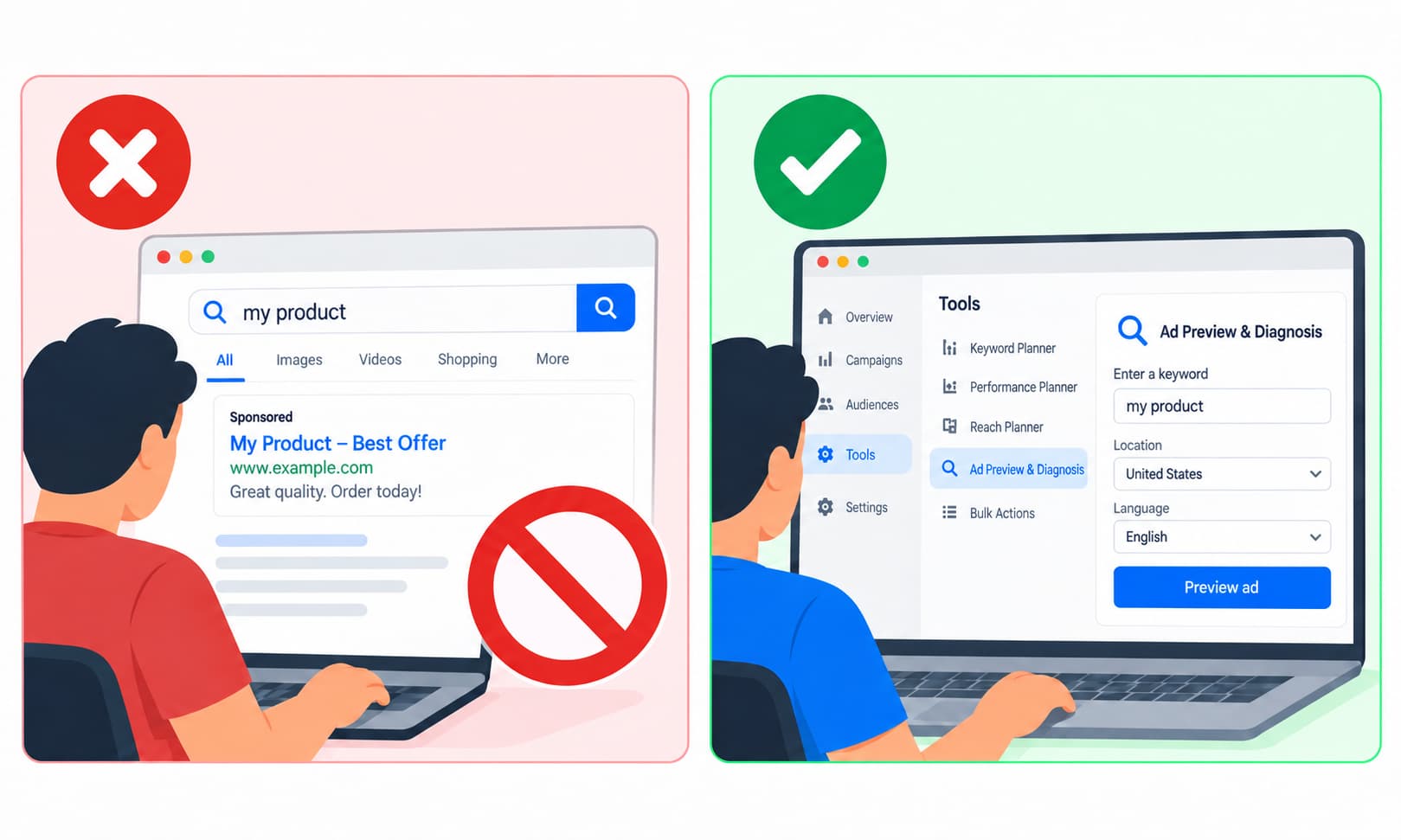
How to check? Use the Ad Preview and Diagnosis tool and compare the result with the campaign’s actual impression data. After signing in to your account, go to Tools -> Troubleshooting -> Ad preview and diagnosis.
How to fix it? Do not repeatedly search for your own ad manually. Use the Ad Preview and Diagnosis tool to check whether it is serving without generating additional impressions that receive no clicks.
How does KG Media identify what is limiting a Google Ads campaign?
When analysing a Google Ads account at KG Media, we start by reviewing actual impressions, campaign and keyword statuses, and the Search lost IS (budget) and Search lost IS (rank) metrics.
Only then do we determine whether limited ad serving is caused by budget, Ad Rank, targeting, the bidding strategy or simply the level of demand.
This diagnostic approach reduces the risk of making the wrong optimisation, for example, increasing the budget of a campaign whose real problem is low ad relevance.
What should you do if your Google Ads ad still is not showing?
If your Google Ads ad is not showing as expected, start by analysing the campaign data and identifying the cause before changing the budget, bids or targeting.
If the campaign, ads and keywords are active, the issue may not be technical. A campaign can be generating impressions while still having poorly aligned targeting, lower-quality traffic or conversions that do not deliver enough value. That is why simply getting an ad to show is not the ultimate measure of Google Ads performance.
A well-optimised campaign is not one that simply generates the most impressions or the lowest cost per click. It is one that shows the right message to the right audience at the right time and produces results that create real business value.
Is your Google Ads ad not showing, or is your campaign failing to deliver the results you expected? Contact KG Media for a Google Ads campaign analysis and optimisation.
FAQ
Why can’t I see my Google Ads ad even though the campaign is active?
An active campaign does not mean the ad will appear for every search. Ad serving is influenced by budget, Ad Rank, targeting, competition, auction context and other factors.
How can I check whether my Google Ads ad is showing?
Check the actual impressions in your account and use the Ad Preview and Diagnosis tool, which lets you check ad serving without generating additional impressions.
Can an insufficient Google Ads budget limit ad serving?
Yes. An insufficient budget can limit the number of impressions, and Search lost IS (budget) shows the share of potential impressions lost because of budget constraints.
Can a low Ad Rank prevent a Google Ads ad from showing?
Yes. A low Ad Rank can limit ad serving because Ad Rank determines whether the ad is eligible to show and how competitive it is in the auction.
Why is my Google Ads ad not showing for a specific keyword?
An ad may not show for a specific keyword because of low search volume, an inactive keyword status, insufficient keyword relevance or an Ad Rank that is too low.
Why shouldn’t I keep searching for my own Google Ads ad?
Repeated searches without interaction can affect the personalised results you see and are not a reliable way to check whether your ad is serving.